
Add Funds
Instructions
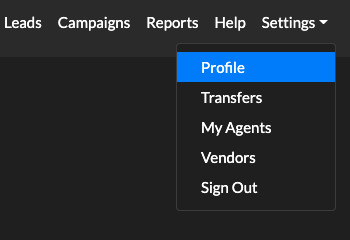
- Navigate to Settings → Profile using the menu in the upper right-hand corner.
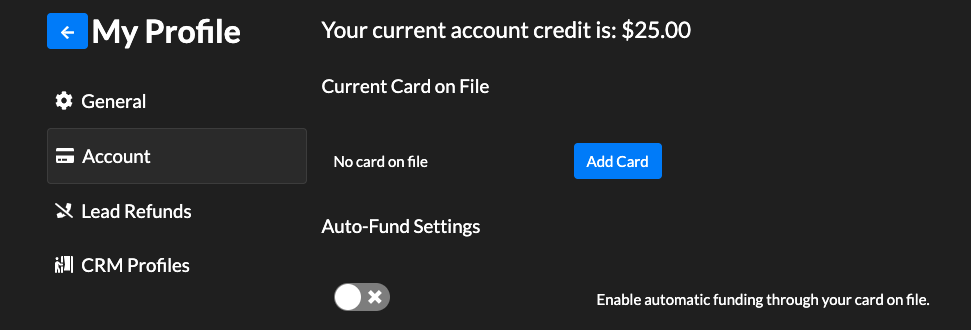
- Once in the Profile, choose the account tab to edit your payment methods.
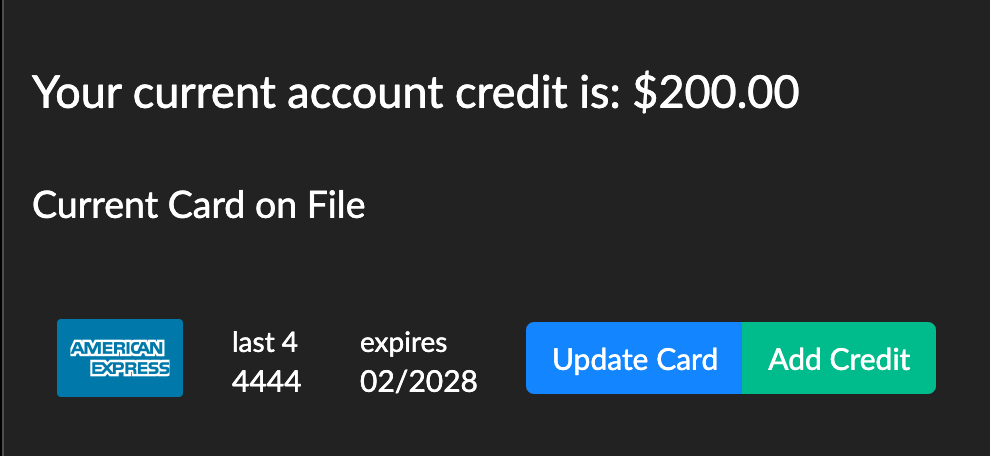
- Once you add your card, add some credit to your account by selecting the Add Credit button.
- You can set up an auto funding feature so that your account always has credits to purchase leads.
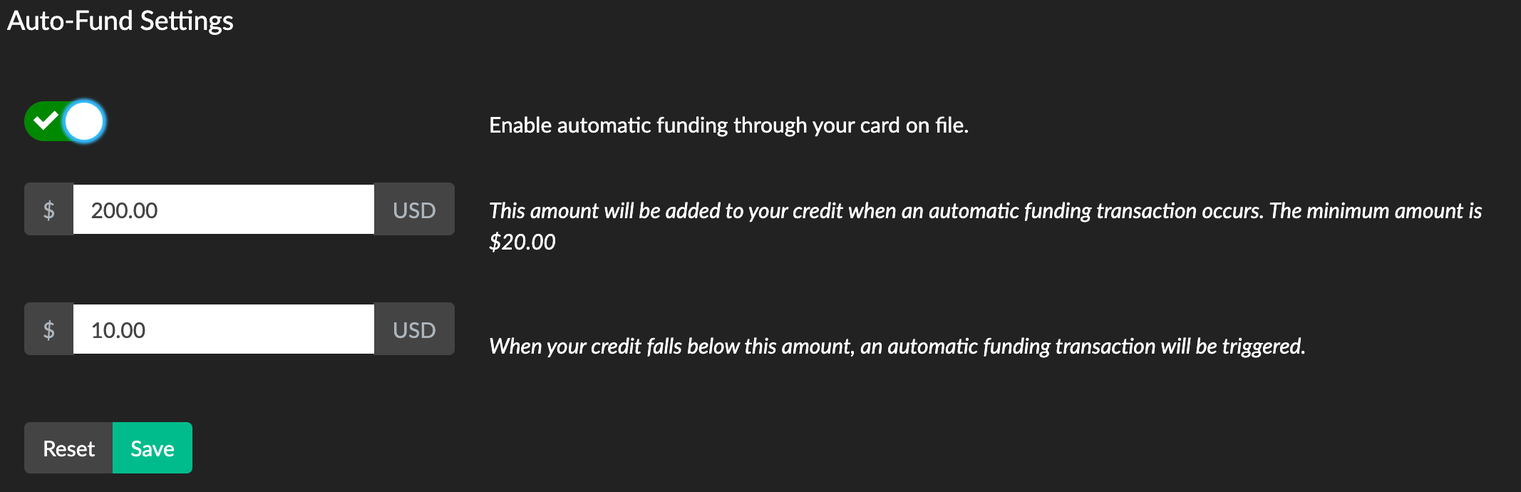 NOTE: The save button only appears after changing a setting
 NOTE: The save button only appears after changing a setting
5. Now that you have credit in your account, you can set up a campaign and start receiving leads.